Let me tell you about the moment this clicked for me.
New to n8n? Start with the complete beginner's guide — every concept explained once, with the whiteboard diagrams, then come back here.
I sent a message to a Telegram bot I'd just built — "What can you do for my business?" — and a few seconds later it wrote back a genuinely helpful answer. Nothing unusual about a chatbot replying, right? Except this one had no OpenAI key behind it, no monthly subscription, and no server bill. The "brain" answering me was a small AI model running on my own laptop, for free. The whole thing was wired together with drag-and-drop blocks, not code.
That's the build I want to walk you through today. By the end you'll have a Telegram bot that reads incoming messages, runs them through a free local AI, and replies on its own — the exact kind of "AI that answers your customers 24/7" that businesses happily pay hundreds to have set up. And you'll have built it yourself, for nothing.
Grab a coffee. This is going to be fun.
Why this is worth your afternoon
Before we open a single tool, let me sell you on why this particular build matters more than another "10 ChatGPT prompts" video.
Every business with a Telegram (or WhatsApp) presence has the same quiet problem: messages come in at all hours, and someone has to answer them. Miss one and you might miss a sale. Hire someone and it's expensive. So "an AI that replies instantly, politely, 24/7" is something people genuinely want to buy.
Most tutorials show you how to build this — and then quietly plug in a paid OpenAI key, so every single reply costs you money. Test it fifty times while you're learning and you've spent real cash. We're going to do it differently: the AI runs locally and free, so you can run it ten thousand times and pay nothing. That's the whole trick, and almost nobody teaches it.
Here's what we're wiring together:
- Telegram — where the customer messages arrive.
- n8n — the free, self-hosted automation tool that glues everything together (no code).
- Ollama — a free tool that runs an AI model right on your computer.
Three free pieces, one working product. Let's build.
Step 1: The pieces you need running
I'm assuming you already have n8n self-hosted for free (if not, my self-host n8n with Docker guide gets you there in five minutes) and Ollama running a small model locally. Both are one Docker command each. Once they're up, n8n lives at localhost:5678 and greets you like this:
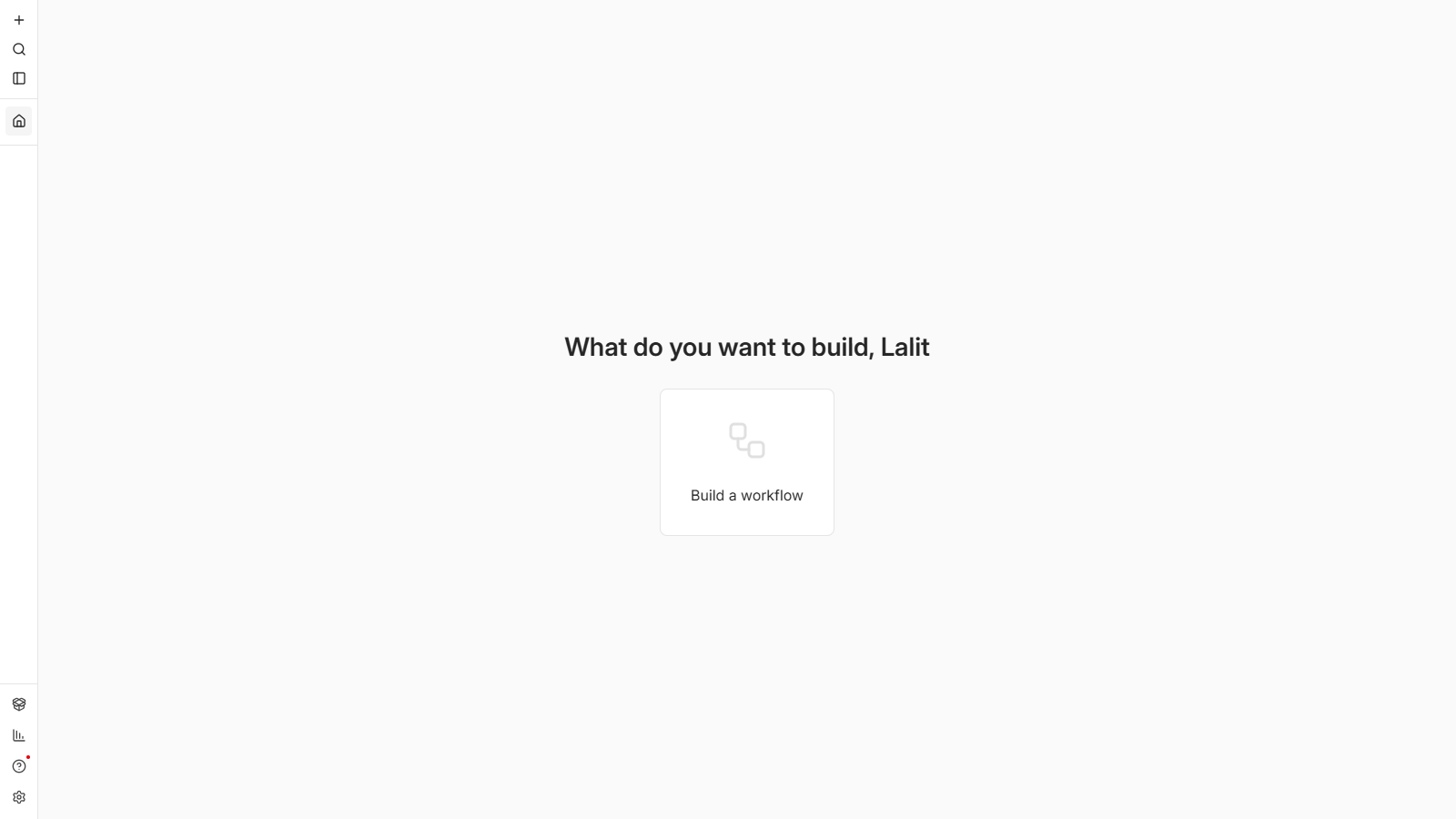
That "Build a workflow" button is where the magic starts. But first, we need a bot.
Step 2: Create your Telegram bot (2 minutes, free)
Telegram makes this delightfully easy. Open Telegram and search for @BotFather — it's the official bot that creates other bots, and it has a blue verified tick.
- Send it
/newbot. - Give your bot a name (e.g. Lalit Support).
- Give it a username ending in
bot(e.g.lalit_support_bot). - BotFather hands you a token — a long string like
8123…:AAH…. That token is the key to your bot.
Copy it somewhere safe. That's the only "credential" this whole build needs, and it's free.
Step 3: The workflow — read, think, reply
Here's the heart of it. In n8n, a workflow is just a chain of blocks ("nodes"), each doing one job and passing its result to the next. Ours has five, and once you see them laid out, the whole idea becomes obvious:
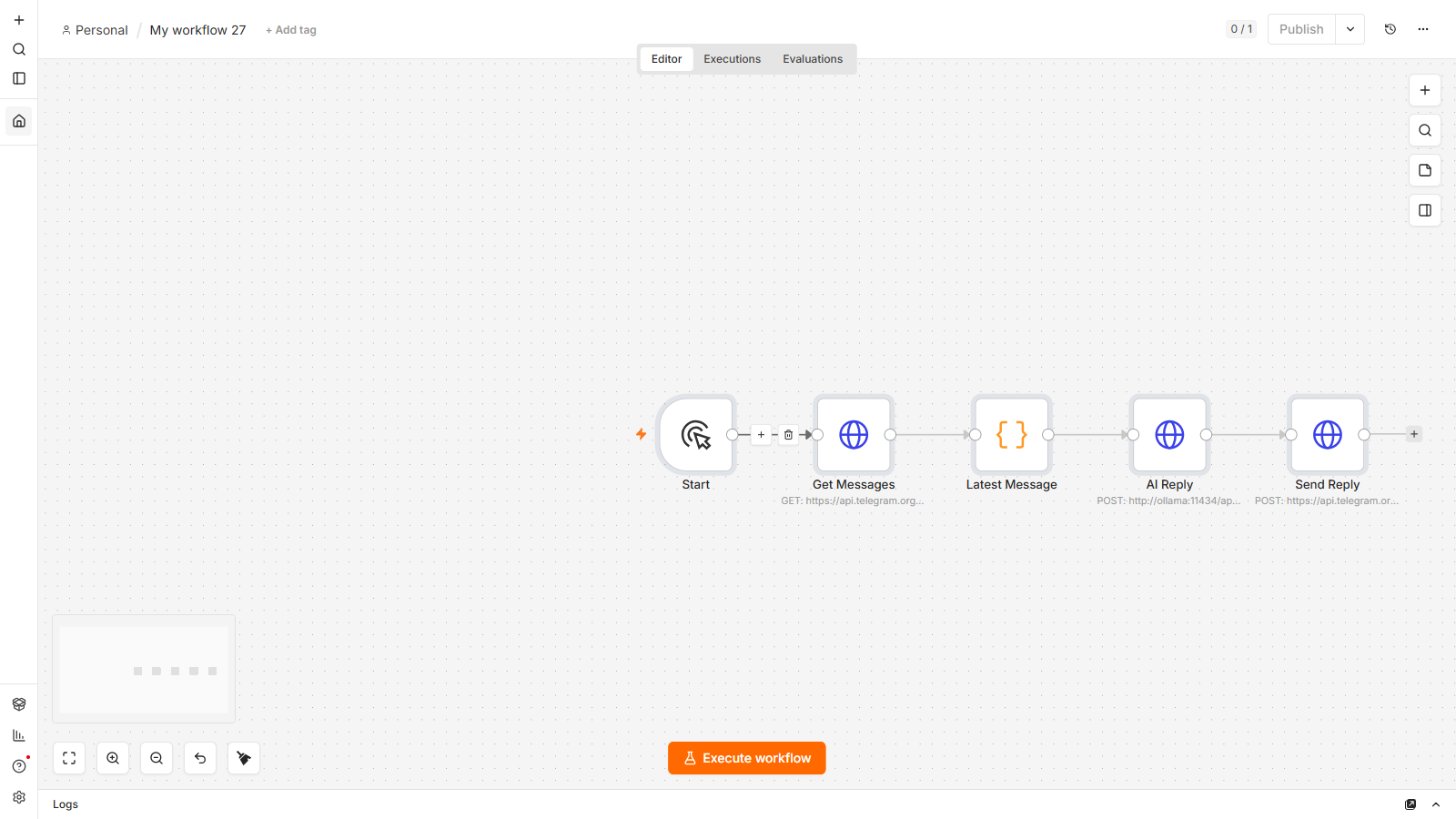
Let me walk you through what each one does, in plain English:
- Start — the trigger. For testing we run it on demand; later we'll put it on a timer so it runs by itself.
- Get Messages — this calls Telegram's API (
getUpdates) and pulls in any new messages people have sent your bot. No fancy setup — it's just a web request to Telegram with your token in the address. - Latest Message — a tiny bit of logic that grabs the most recent message and pulls out two things: the text the person sent, and their chat ID (so we know where to reply).
- AI Reply — the brain. It sends the person's message to the free local AI (Ollama) with an instruction like "You're a friendly support assistant, reply in one or two sentences." The AI thinks and hands back an answer.
- Send Reply — this calls Telegram again (
sendMessage) and delivers the AI's answer straight back to the person who wrote in.
Read, think, reply. That's the entire shape of almost every chatbot you'll ever build — and here it is with zero code and zero AI fees.
The clever bit: no public server needed
Here's a gotcha most tutorials skip. Telegram's normal bot trigger needs your n8n to be reachable from the public internet — which a laptop isn't. So instead of waiting for Telegram to push messages to us, we simply ask Telegram for new messages (that Get Messages step). That flips the direction: our laptop reaches out to Telegram, which works perfectly from home with no tunnels, no public URL, nothing to configure. Small detail, huge time-saver.
Step 4: Message your bot, then run it
Now the satisfying part. Open your bot in Telegram (mine is t.me/lalit_support_bot), hit Start, and send it something a real customer might ask — I sent "What can you do for my business?"
Then, back in n8n, hit Execute workflow and watch the chain light up green, one node after another:
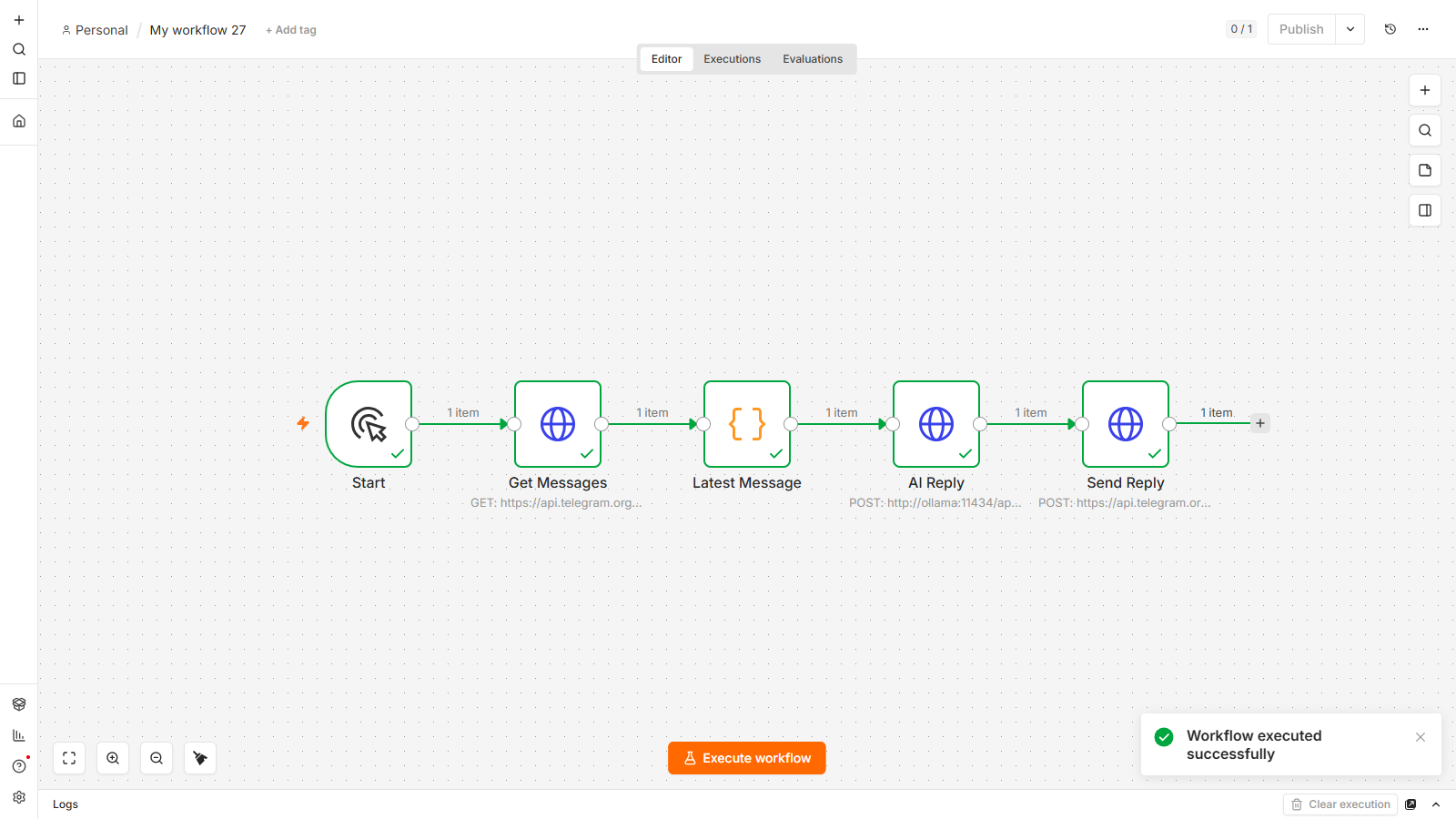
Every node has its green checkmark, each passing "1 item" down the line. Get Messages grabbed my question, AI Reply had the local model write an answer, and Send Reply delivered it. I switched back to Telegram and there it was — a friendly, on-topic reply from my bot, generated entirely by an AI running on my own machine.
No key. No bill. No code. Just a working AI support agent.
(Screenshot of the actual reply inside Telegram goes here once the video is recorded.)
Step 5: Make it always-on
Right now the bot only replies when I press "Execute." To turn it into a real 24/7 agent, you swap that first Start node for a Schedule Trigger set to run every few seconds, and add a little bookkeeping so it doesn't reply to the same message twice. Save it, switch it Active, and from then on it runs by itself — checking for new messages and answering them around the clock, while you do literally anything else.
That "always-on" version is exactly what you'd hand to a client, or sell as a template. Same five blocks; one small change.
What you just learned (and what it's worth)
Step back and notice what actually happened here. You connected a messaging app, a free AI, and a no-code tool into a system that does real, valuable work without you. The pattern — trigger → fetch → AI → respond — is the backbone of support bots, lead responders, FAQ answerers, and a dozen other things people pay for.
And because the AI runs locally, your running cost is zero. That's the difference between "a fun demo" and "a system you can actually deploy or sell."
FAQ
Is this Telegram bot really free to run?
Yes. Telegram bots are free, n8n is free when you self-host it, and the AI runs locally through Ollama at no cost. There's no per-message fee and no subscription — the only requirement is that your computer (or a cheap always-on server) is running.
Do I need to know how to code?
No. The entire bot is built by adding and connecting nodes in n8n. The only "technical" moments are pasting your Telegram token and a couple of short expressions to grab the message text — everything else is visual.
Why not use the built-in Telegram Trigger node?
The Telegram Trigger uses a webhook, which needs your n8n to be reachable from the public internet — awkward on a home laptop. Polling Telegram for new messages (the getUpdates approach) works from anywhere with no public URL, which makes it far easier to build and test locally.
Can I use a smarter AI like GPT or Gemini instead?
Absolutely. The "AI Reply" step is just a web request — point it at OpenAI or Google Gemini instead of the local model and you'll get smarter answers, at a small (often free-tier) cost. Keeping it local is what makes it free and private; a cloud model is the upgrade when you want more power.
How do I make it reply automatically 24/7?
Replace the manual Start trigger with a Schedule Trigger that runs every few seconds, and add a step that remembers the last message handled so it doesn't reply twice. Save, activate the workflow, and it runs on its own continuously.
Can I sell this to businesses?
Yes — "an AI bot that answers your customers instantly" is a service small businesses pay real money for. You can set it up for them as a done-for-you build, or package the workflow as a template. That's the practical payoff of learning it.
Built and tested on a free, self-hosted setup by lalittaparia.online — where I share the exact no-code AI automation systems I use, no budget or expertise required. Subscribe for the always-on version and the client-ready builds.

